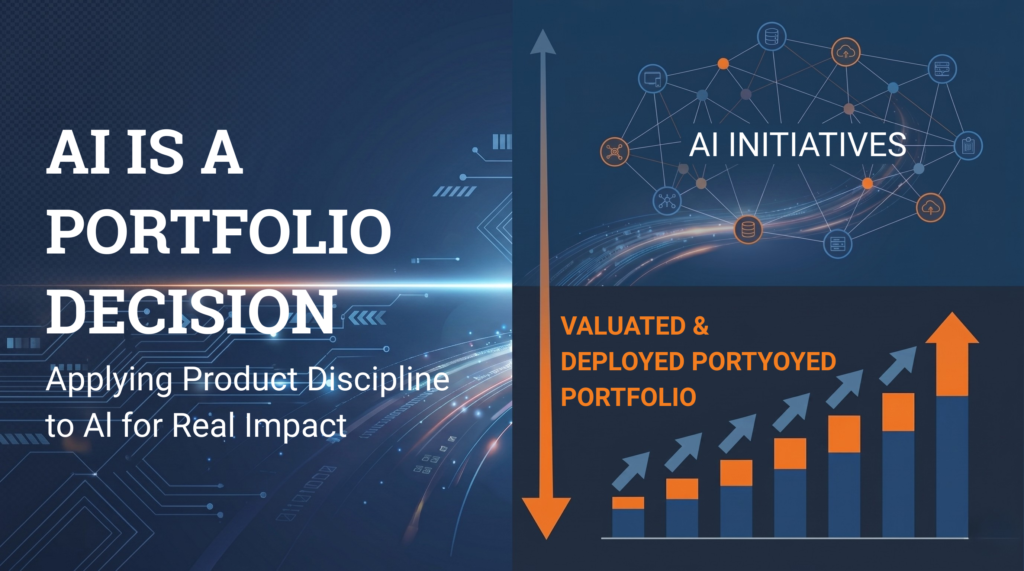
Eight months into leading River Point Technology’s AI Center of Excellence, the framework shaping our approach predates AI entirely — and that is precisely the point.
I joined River Point Technology last September as Director of Product and Business Solutions and was recently appointed the leader of our AI Center of Excellence, RPT Labs. The question I most often field from my fellow Product peers is some version of: “Where do we begin?”
The answer I have arrived at is not a tool, a vendor, or a model. It is a system.
Organizations that fail to incorporate AI into the core of how they operate will be outpaced — not in a decade, but in the present cycle. That is not a slogan; it is the operating reality of every services and product company. The firms that figure out how to be faster, more productive, and measurably smarter — both internally and in service of their clients — will outrun those still treating AI as a side initiative.
Yet, the failure I see most often is not inaction — it is the impulse to pursue everything at once.
The Wishlist Problem
Most AI Centers of Excellence I’ve witnessed or heard from firsthand are stuck in the same pattern. A backlog of ideas. A queue of vendor demonstrations. A leader who has lost the ability to say no because every prospect or idea feels as though it could be the one. Six months in, nothing has shipped. Twelve months in, the CoE is being reorganized.
This is not a talent problem. It is a portfolio management problem. AI generates an extraordinary volume of plausible ideas absent of a system to triage them. Every CoE becomes a scattered wishlist with no true process or direction.
VCT: A funnel, not a roadmap
At River Point Technology, we apply the same framework to AI that we apply to our core solutions business. We call it VCT — Value Creation Technology — developed by our founder, Jeff Eiben, well before AI became the question on every executive’s desk. That timing matters. VCT was built to discipline all portfolio decisions. We did not need to invent a new framework for AI. We only to apply the one we already trust.
VCT has three stages, and it operates as a product management funnel: Choose, Incubate, Scale.
Choose. Ideas arrive from every direction — our solution pillar leaders, our delivery engineers, our clients, the market. We require each idea to pass through the same evaluation before resources are assigned or funding is allocated. What value is created if this works? What does it cost to find out? What is the smallest version we can credibly test? What do we already possess that uniquely positions us to win? An idea that cannot answer these questions does not advance — regardless of who proposed it. Let’s also not forget AI isn’t necessarily the best answer to all problems. Not everything is a nail, so each hurdle/gap must be critically evaluated to determine if AI is truly the right answer – not just the new “easy button.”
Incubate. Ideas that survive Choose receive small, time-boxed investments with a hypothesis, budget, and deadline. The discipline at this stage is what separates serious CoEs from the rest: a willingness to kill an incubation early when the evidence is absent, and to invest more heavily when it is present. Most CoEs skip this stage and move directly to deployment. That is how many organizations end up with tools or so called “solutions” no one uses.
Scale. Only the ideas that survive Incubate — with demonstrated value and a clear path to repeatable economics — are scaled. Scale is where the meaningful capital goes, and where the wrong investment is most costly. VCT exists to ensure that capital is deployed only against bets that have already been validated.
Two streams, one funnel
Applying VCT to AI differs from applying it to a traditional offering in one important respect: we run it across two streams in parallel. Our solution pillar leaders are divided between internal AI initiatives and external AI offerings.
Internal is the operation of RPT itself — our back-office practices, delivery workflows, knowledge management, and sales operations. Faster, more productive, sharper about our own business.
External is how we serve our clients — the agents, integrations, and AI-augmented delivery patterns that appear in client engagements, alongside the platform, policy, and infrastructure work our delivery organization is bringing to market.
These are not separate strategies. They are the same funnel applied twice. The point I would press hardest with any CoE leader is this: an organization that has not made its own business faster and smarter with AI has no standing to advise its clients to do the same. Internal credibility precedes external credibility. Be your own client zero. The pillar split ensures investment in both, every quarter, with equal rigor.
Product management discipline, applied to a moving target
The deeper value of the VCT funnel — and this matters more in AI than in any category I have worked in — is that it imposes product management discipline on a market determined to behave like a technology fad. New models emerge weekly. New vendors arrive daily. The pull to chase is significant.
Product management has spent decades developing methods to evaluate ideas under uncertainty: funnel principles, hypothesis testing, kill criteria, stage gates. None of this is novel. What is novel is the conviction required to apply these methods to AI even as the noise outside argues for speed at any cost.
Eight months of clarity
What I have learned in my first eight months at River Point Technology is not that AI is difficult. It is that the organizations that will win at AI are the ones that resist the urge to treat AI as exceptional. Treat it as the most consequential portfolio decision your business is making — because it is — and apply the same disciplines you would apply to any other portfolio.
Choose. Incubate. Scale.
Without a funnel, you have a wishlist. And the market will not wait for you to sort it out.
If you are standing up an AI CoE — or refining one that has stalled — I welcome the conversation. DMs are open.
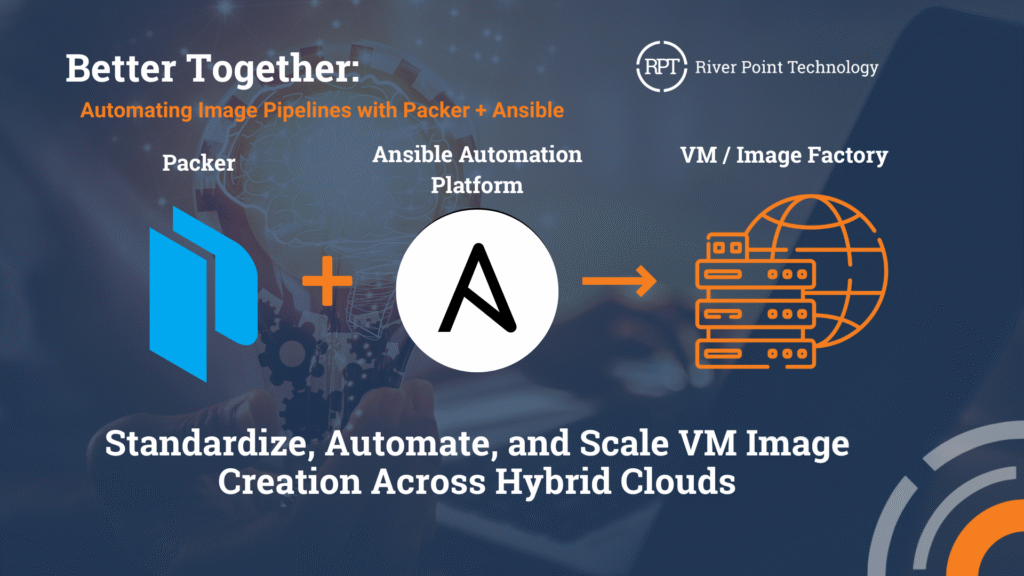
Many organizations using the Ansible Automation Platform (AAP) still provision virtual machines manually and then run playbooks afterward. That process often involves waiting for infrastructure tickets, scheduling jobs, and completing lengthy configuration steps. In some cases, it can take hours or even days for a system to be ready for use.
Packer can communicate with both the cloud and the hypervisor, as well as a provisioner, changing the workflow to mint golden images. Deployments begin with a system that is ready in minutes, not days. Although it includes native Ansible support, Enterprise architects often point out problems right away: “You are bypassing all the governance we have built around AAP. No centralized logging, no RBAC, no audit trails, and no consistent execution environments.” For teams that rely on AAP for governance and standardized workflows, local Ansible runs create silos or force duplication. To address this, a custom Packer provisioner was built to integrate directly with the AAP API. Instead of running Ansible locally, Packer now calls job templates from AAP during image builds, enabling organizations to continue using their existing playbooks and environments while benefiting from the speed and repeatability of image factories.
With this approach, image builds run under the same governance as production workloads and benefit from centralized logging, RBAC, and consistent execution environments. Concerns about bypassing controls disappear since all automation stays inside AAP. The result is faster provisioning, reusable images, and an automation workflow that feels both modern and enterprise-ready.
Using the Provisioner
First the plugin will need to be added to the required plugins:
packer {
  required_plugins {
    ansible-aap = {
      source  = "github.com/rptcloud/ansible-aap"
      version = "1.0.0"
    }
  }
}
Then within the build spec, the provisioner can be configured to your AAP instance, assigned a job template ID, and all API orchestration occurs within the code. In a packer template, it would look something like:
build {
  sources = ["source.amazon-ebs.example"]

  provisioner "ansible-aap" {
    tower_host          = "https://aap.example.com"
    access_token        = vault("secret/data/aap", "access_token")
    job_template_id     = 11 # Job template to install docker on host
    organization_id     = 1

    dynamic_inventory   = true

    extra_vars = {
      Name        = "packer-ansible-demo"
      Environment = "production"
      BuiltBy     = "packer"
    }

    timeout       = "15m"
    poll_interval = "10s"
  }
}
amazon-ebs.example: output will be in this color.
==> amazon-ebs.example: Prevalidating any provided VPC information
==> amazon-ebs.example: Prevalidating AMI Name: packer-ansible-demo-20250820181254
...
==> amazon-ebs.example: Waiting for SSH to become available...
==> amazon-ebs.example: Connected to SSH!
==> amazon-ebs.example: Setting a 15m0s timeout for the next provisioner...
amazon-ebs.example: 🌐 Attempting to connect to AAP server: https://aap.example.com
amazon-ebs.example: 🔧 Initializing AAP client...
amazon-ebs.example: ✅ AAP client initialized successfully
amazon-ebs.example: 🎯 Creating inventory for target host: 54.146.55.206
amazon-ebs.example: 🗄️ Using organization ID: 1
amazon-ebs.example: ✅ Created inventory with ID: 75
amazon-ebs.example: ✅ Created SSH credential ID: 63
amazon-ebs.example: 🖥️ Adding host 54.146.55.206 to inventory
amazon-ebs.example: ✅ Added host ID: 66
amazon-ebs.example: 🚀 Launching job template ID 10 for target_host=54.146.55.206
amazon-ebs.example: ✅ Job launched https://aap.example.com/execution/jobs/playbook/142/output/. Waiting for completion...
amazon-ebs.example: ⏳ Polling job status...
amazon-ebs.example: 🎉 Job completed successfully!
amazon-ebs.example: Identity added: /runner/artifacts/142/ssh_key_data (packer-aap-key)
amazon-ebs.example:
amazon-ebs.example: PLAY [Install Docker] **********************************************************
amazon-ebs.example:
amazon-ebs.example: TASK [Gathering Facts] *********************************************************
amazon-ebs.example: [WARNING]: Platform linux on host 54.146.55.206 is using the discovered Python
amazon-ebs.example: interpreter at /usr/bin/python3.7, but future installation of another Python
amazon-ebs.example: interpreter could change the meaning of that path. See
amazon-ebs.example: https://docs.ansible.com/ansible-
amazon-ebs.example: core/2.16/reference_appendices/interpreter_discovery.html for more information.
amazon-ebs.example: ok: [54.146.55.206]
amazon-ebs.example:
amazon-ebs.example: TASK [Update package cache] ****************************************************
amazon-ebs.example: ok: [54.146.55.206]
amazon-ebs.example:
amazon-ebs.example: TASK [Install Docker] **********************************************************
amazon-ebs.example: changed: [54.146.55.206]
amazon-ebs.example:
amazon-ebs.example: TASK [Start and enable Docker service] *****************************************
amazon-ebs.example: changed: [54.146.55.206]
amazon-ebs.example:
amazon-ebs.example: TASK [Add ec2-user to docker group] ********************************************
amazon-ebs.example: changed: [54.146.55.206]
amazon-ebs.example:
amazon-ebs.example: PLAY RECAP *********************************************************************
amazon-ebs.example: 54.146.55.206 : ok=5 changed=3 unreachable=0 failed=0 skipped=0 rescued=0 ignored=0
amazon-ebs.example: 🧹 Cleaning up credential 63...
amazon-ebs.example: 🧹 Cleaning up host 66...
amazon-ebs.example: 🧹 Cleaning up inventory 75...
==> amazon-ebs.example: Stopping the source instance...
...
Build 'amazon-ebs.example' finished after 4 minutes 45 seconds.
==> Wait completed after 4 minutes 45 seconds
==> Builds finished. The artifacts of successful builds are:
--> amazon-ebs.example: AMIs were created:
us-east-1: ami-0d056993e3e2be56fHow the Plugin Integration Works
AAP has a well-documented REST API. The provisioner handles the entire lifecycle through API calls. Here’s the workflow:
sequenceDiagram
    participant P as Packer
    participant Prov as AAP Provisioner
    participant AAP as Ansible Automation Platform
    participant VM as Target VM
    P->>Prov: Start provisioning
    Prov->>AAP: Create temporary inventory
    AAP-->>Prov: Inventory ID: 123
    Prov->>AAP: Register target host
    AAP-->>Prov: Host ID: 456
    Prov->>AAP: Create SSH/WinRM credential
    AAP-->>Prov: Credential ID: 789
    Prov->>AAP: Launch job template
    AAP-->>Prov: Job ID: 1001
    loop Poll Status
        Prov->>AAP: Check job status
        AAP-->>Prov: Status: running/successful/failed
    end
    AAP->>VM: Execute playbooks
    VM-->>AAP: Configuration complete
    Prov->>AAP: Delete credential
    Prov->>AAP: Delete host
    Prov->>AAP: Delete inventory
    Prov-->>P: Provisioning complete
1. Dynamic Inventory Creation
First, we create a temporary inventory in AAP. Every build receives its temporary inventory with a timestamp, ensuring no conflicts or stepping on other builds, providing clean isolation.
curl -X POST https://aap.example.com/api/controller/v2/inventories/ \
  -H "Authorization: Bearer $AAP_TOKEN" \
  -H "Content-Type: application/json" \
  -d '{
    "name": "packer-inv-1642684800",
    "description": "Temporary inventory for packer provisioning",
    "organization": 1
  }'
Response:
{
  "id": 123,
  "name": "packer-inv-1642684800",
  "organization": 1,
  "created": "2025-01-20T10:00:00Z"
}
2. Host Registration
Next, we register the target host that Packer is building. In the provisioner, we retrieve all connection details directly from Packer’s communicator. SSH keys, passwords, WinRM creds, whatever Packer is using to talk to the instance:
curl -X POST https://aap.example.com/api/controller/v2/hosts/ \
  -H "Authorization: Bearer $AAP_TOKEN" \
  -H "Content-Type: application/json" \
  -d '{
    "name": "10.0.1.100",
    "inventory": 123,
    "variables": "{\"ansible_host\": \"10.0.1.100\", \"ansible_port\": 22, \"ansible_user\": \"ec2-user\"}"
  }'
Response:
{
  "id": 456,
  "name": "10.0.1.100",
  "inventory": 123,
  "variables": "{\"ansible_host\": \"10.0.1.100\", \"ansible_port\": 22, \"ansible_user\": \"ec2-user\"}"
}
3. Dynamic Credential Management
Each build has the option to use a temporary credential provided to AAP; this refers to SSH key or username/password authentication.
curl -X POST https://aap.example.com/api/controller/v2/credentials/ \
  -H "Authorization: Bearer $AAP_TOKEN" \
  -H "Content-Type: application/json" \
  -d '{
    "name": "packer-ssh-cred-1642684800",
    "description": "SSH credential for Packer builds",
    "credential_type": 1,
    "organization": 1,
    "inputs": {
      "username": "ec2-user",
      "ssh_key_data": "-----BEGIN PRIVATE KEY-----\nMIIEvgIBADANBgkqhkiG9w0BAQEFAASCBKgwggSkAgEAAoIBAQC..."
    }
  }'
Response:
{
  "id": 789,
  "name": "packer-ssh-cred-1642684800",
  "credential_type": 1,
  "organization": 1
}
4. Job Orchestration
Finally, we launch the actual job template. For this integration to work properly, your job template in AAP needs to be configured to accept runtime parameters:
{
  "name": "Packer Image Build Template",
  "ask_inventory_on_launch": true,
  "ask_credential_on_launch": true,
  "ask_variables_on_launch": true
}
The ask_inventory_on_launch and ask_credential_on_launch settings are crucial – they allow the provisioner to inject the temporary inventory and credentials at launch time instead of using pre-configured values. Without these settings, the job template would try to use its default inventory and credentials, which won’t have access to your Packer-managed instance.
Here’s the launch request:
curl -X POST https://aap.example.com/api/controller/v2/job_templates/42/launch/ \
  -H "Authorization: Bearer $AAP_TOKEN" \
  -H "Content-Type: application/json" \
  -d '{
    "inventory": 123,
    "credentials": [789],
    "extra_vars": {
      "environment": "production",
      "packer_build_name": "amazon-linux-base",
      "packer_build_id": "build-1642684800"
    }
  }'
Response:
{
  "job": 1001,
  "ignored_fields": {},
  "id": 1001,
  "type": "job",
  "url": "/api/controller/v2/jobs/1001/",
  "status": "pending"
}
Then we poll the job status until completion:
curl -X GET https://aap.example.com/api/controller/v2/jobs/1001/ \
  -H "Authorization: Bearer $AAP_TOKEN"
Response when complete:
{
  "id": 1001,
  "status": "successful",
  "finished": "2025-01-20T10:15:30Z",
  "elapsed": 330.5
}
Automated Resource Lifecycle Management
One of the more critical steps is to ensure that temporary resources are cleaned up. Nothing worse than finding 500 orphaned inventories in AAP because builds crashed. The provisioner is coded to track and clean up in a dependency-safe cleanup process:
# Delete credential first
curl -X DELETE https://aap.example.com/api/controller/v2/credentials/789/ \
  -H "Authorization: Bearer $AAP_TOKEN"

# Then delete the host (depends on credential being removed)
curl -X DELETE https://aap.example.com/api/controller/v2/hosts/456/ \
  -H "Authorization: Bearer $AAP_TOKEN"

# Finally delete the inventory (depends on hosts being removed)
curl -X DELETE https://aap.example.com/api/controller/v2/inventories/123/ \
  -H "Authorization: Bearer $AAP_TOKEN"
Get Started
Ready to integrate your Packer workflows with AAP? The provisioner is open source and available on GitHub. Check out the repository for installation instructions, configuration examples, and contribution guidelines:
rptcloud/packer-plugin-ansible-aap
If you’re using this provisioner in your environment or have ideas for improvements, contributions and feedback are welcome!